Tasks with context
Include a title and the details someone needs to act. Connect the task to relevant family members and children.
 elly
ellyShared tasks · Elly for iPhone
Packing the bag, preparing for an outing, checking tomorrow’s plan. Turn the little things into visible tasks your care team can find and complete.
Download for iPhoneSome shared features and insights require Elly Plus. See current plan details in the app.
Include a title and the details someone needs to act. Connect the task to relevant family members and children.
See tasks with calendar arrangements rather than keeping a second disconnected list. Add timing where it matters.
Mark the task completed when the work is done. Keep planned work distinct from a recorded care event.
A closer look
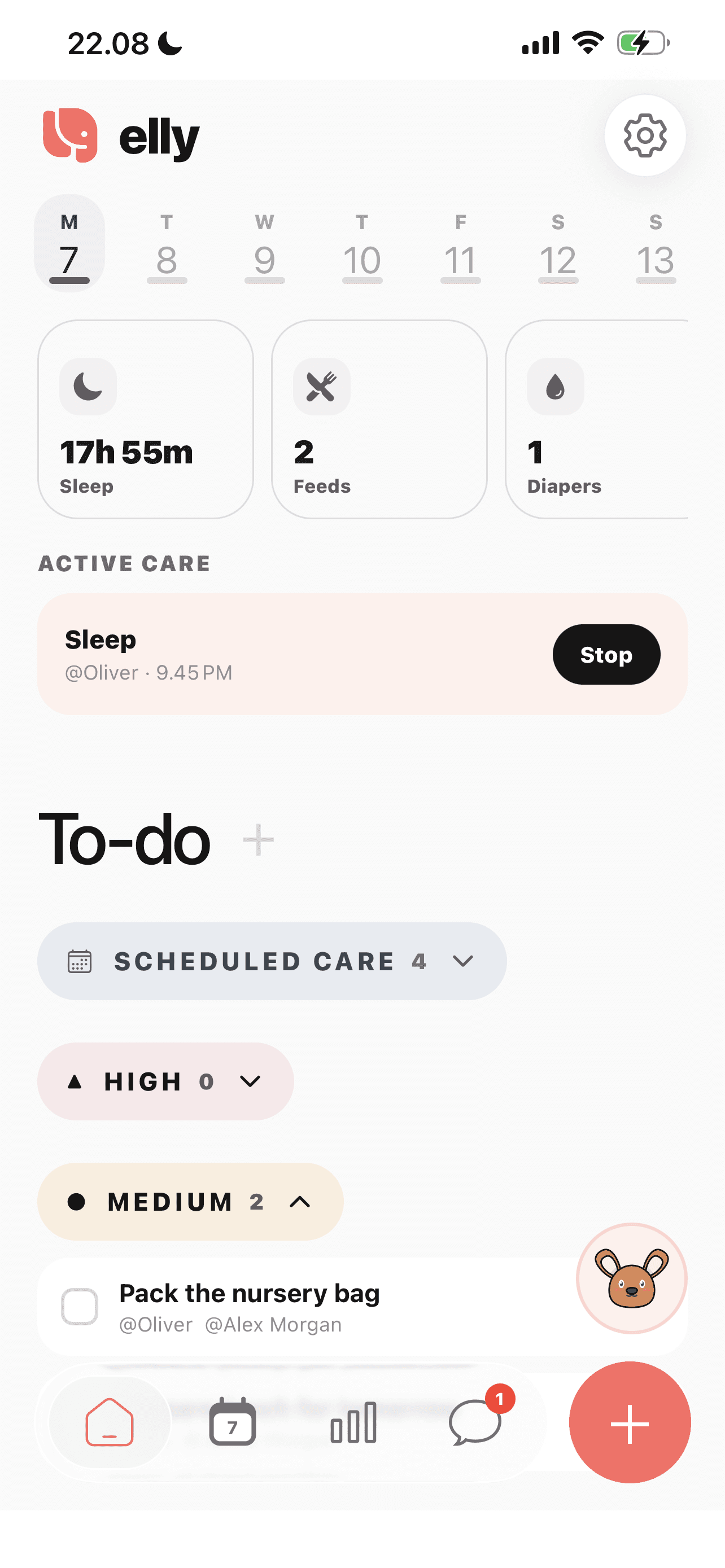
The home screen shows to-dos grouped by priority alongside the day’s care overview.
See more in the Elly app →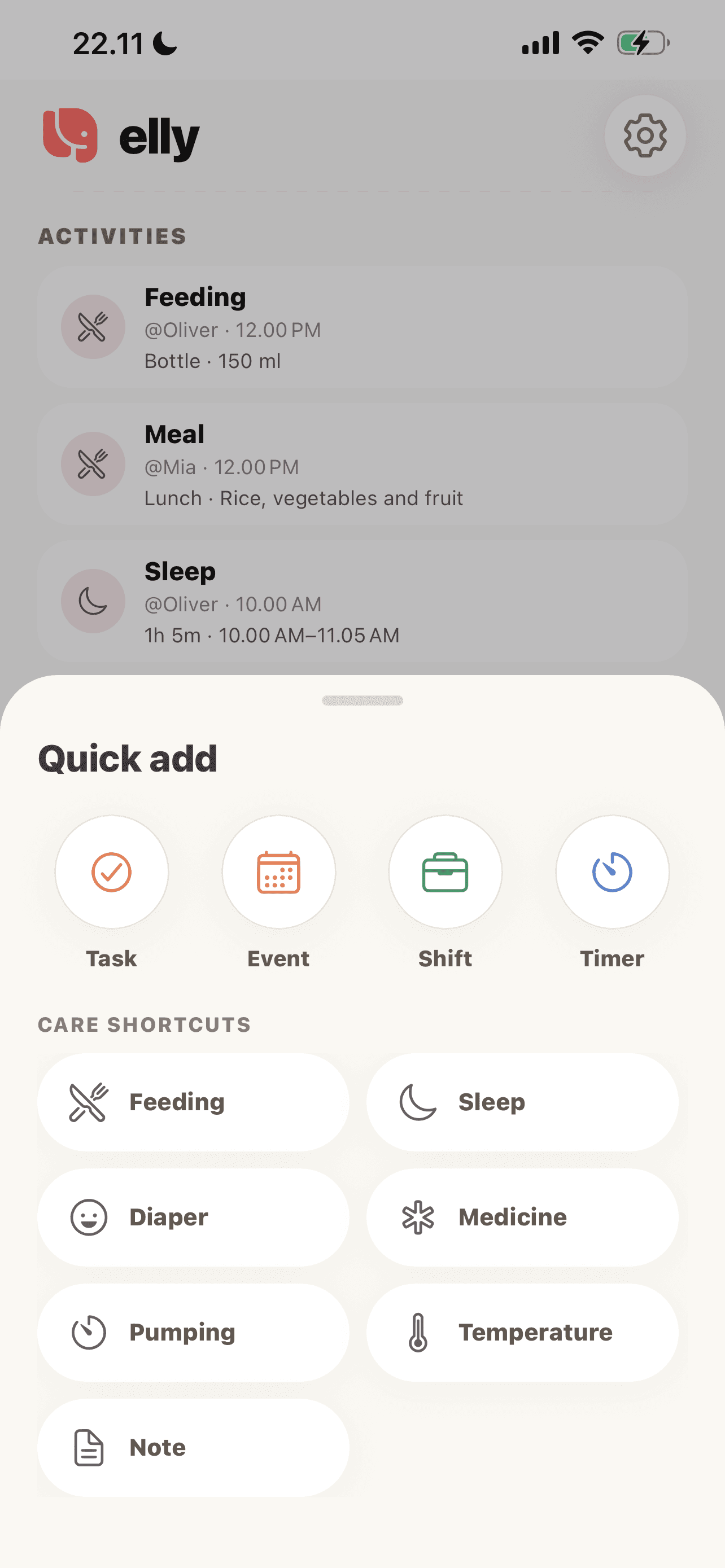
Tasks, events, shifts and timers each have their own entry point. Choose a task for a concrete piece of work to complete.
See more in the Elly app →Use an action such as packing the nursery bag and include the practical details.
Set the relevant assignment and timing with your family’s planning permissions.
Update the task’s completion state so the next person can see the result.
An everyday example
A task holds the packing details. The caregiver’s shift stays in the calendar, and the completed packing task gives the incoming adult one less thing to clarify.
Shared tasks questions
Yes. A task describes work to do, while a care log records an event such as a feed or a nap.
Planning access depends on the person’s family role and permissions. Shared assignments may also require Elly Plus.
Yes. The household worksheets below can help you agree on the task before recording it in Elly.
The home screen groups to-dos into priority sections. Use priority for what needs attention and the task details for the specific action or supplies involved.
Open the plus menu and choose Task. The same menu also offers Event, Shift and Timer, so choose the type that matches what you are adding.
Task completion and care records serve different purposes. Record the feed or sleep in its care category when you need it in the child’s history and insights.
Your next day, together
Bring your family’s plans, care records and conversations into Elly.