Invite a partner or caregiver
Create an invitation for the appropriate role. Share its code or invitation card with the person joining your family.
 elly
ellyYour care team · Elly for iPhone
Care is shared by people with different responsibilities. Invite the right adults into the family workspace and set up the access they need for their part of the day.
Download for iPhoneSome shared features and insights require Elly Plus. See current plan details in the app.
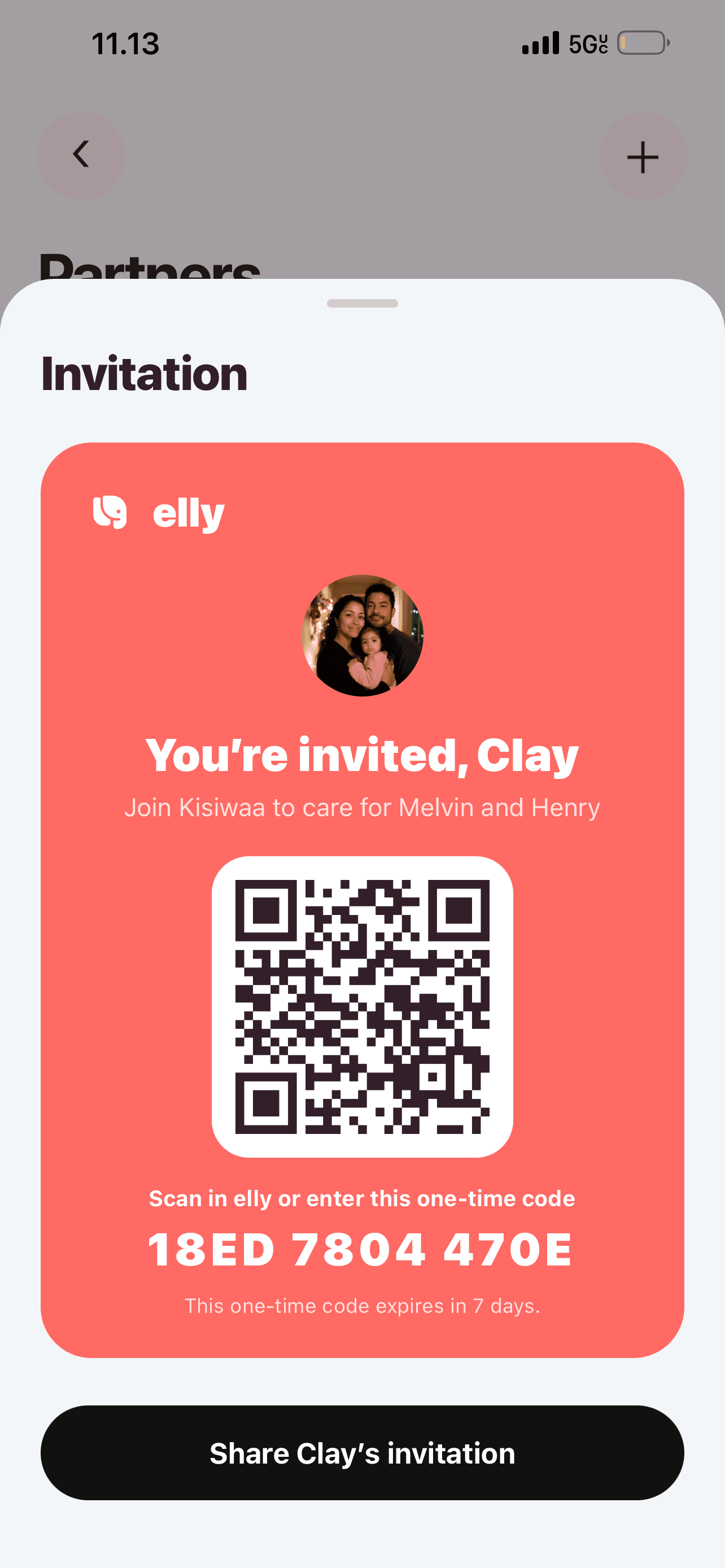
Create an invitation for the appropriate role. Share its code or invitation card with the person joining your family.
Caregiver invitations can apply to all children or selected children. Set access around the care arrangement rather than assuming everyone needs the same view.
Planning permission is separate from being part of the care team. Use family settings to manage who can help change the plan.
A closer look
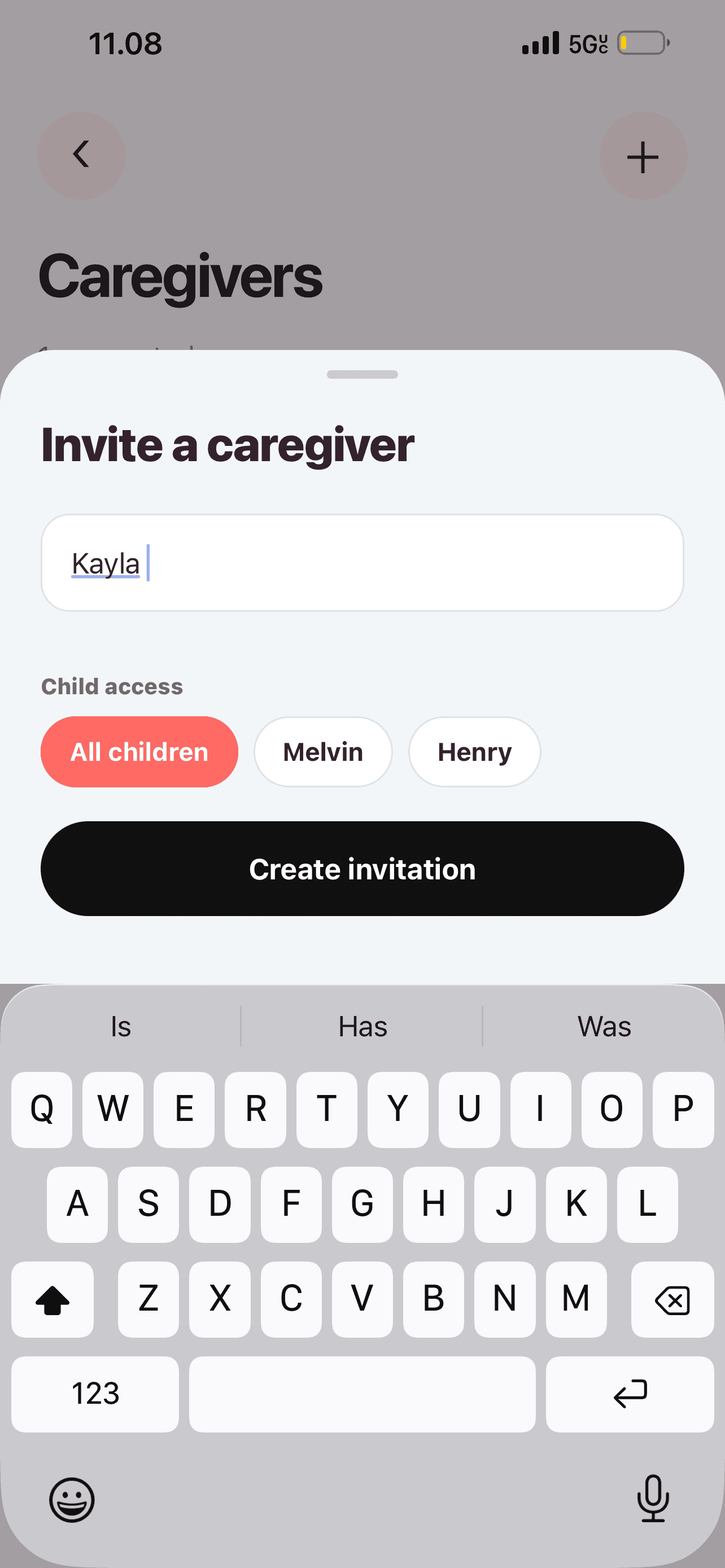
Enter the caregiver’s name, then choose All children or the relevant children before creating the invitation. Match access to the care arrangement you have agreed.
See more in the Elly app →
Partners and guardians have their own section, so household relationships are kept distinct from caregiver access.
See more in the Elly app →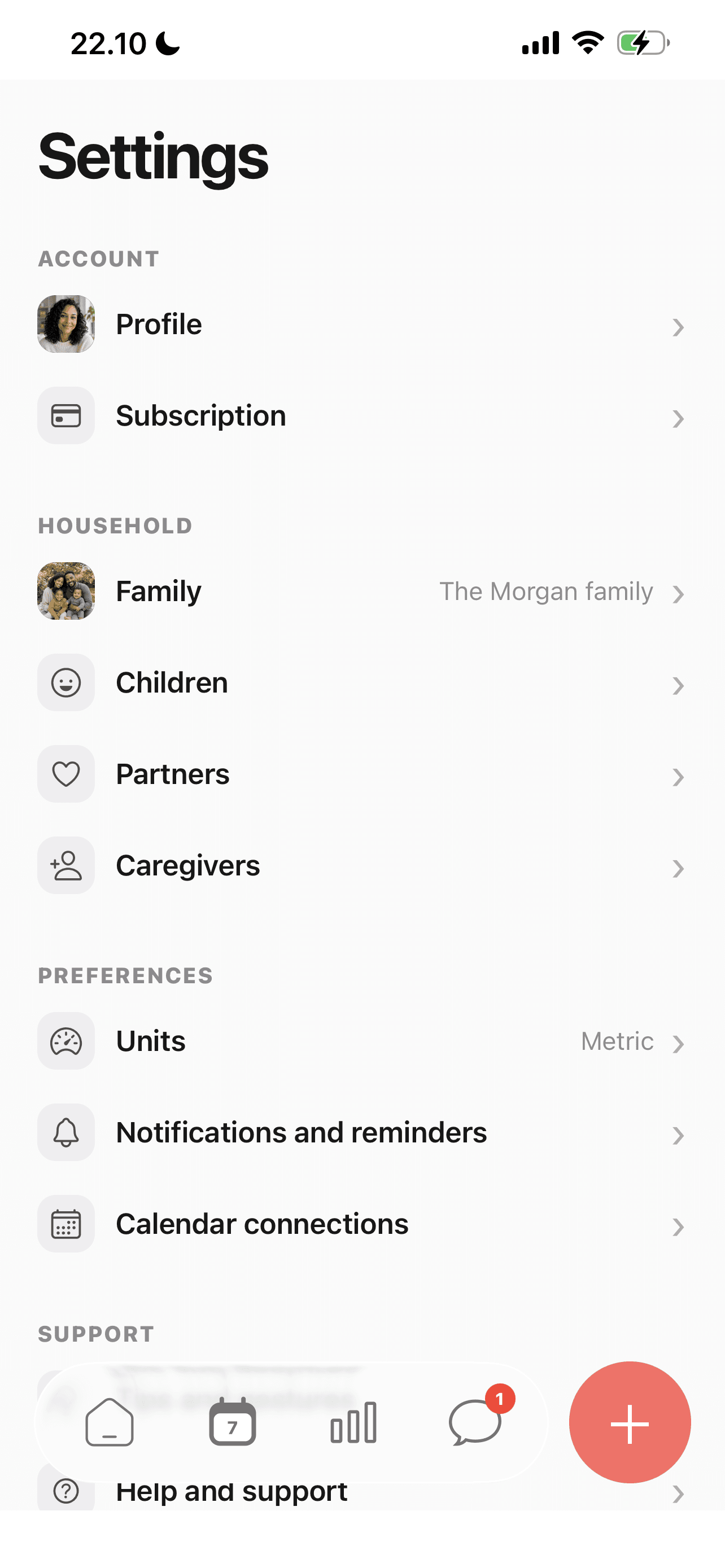
Settings brings together Family, Children, Partners and Caregivers, with subscription and preference controls nearby.
See more in the Elly app →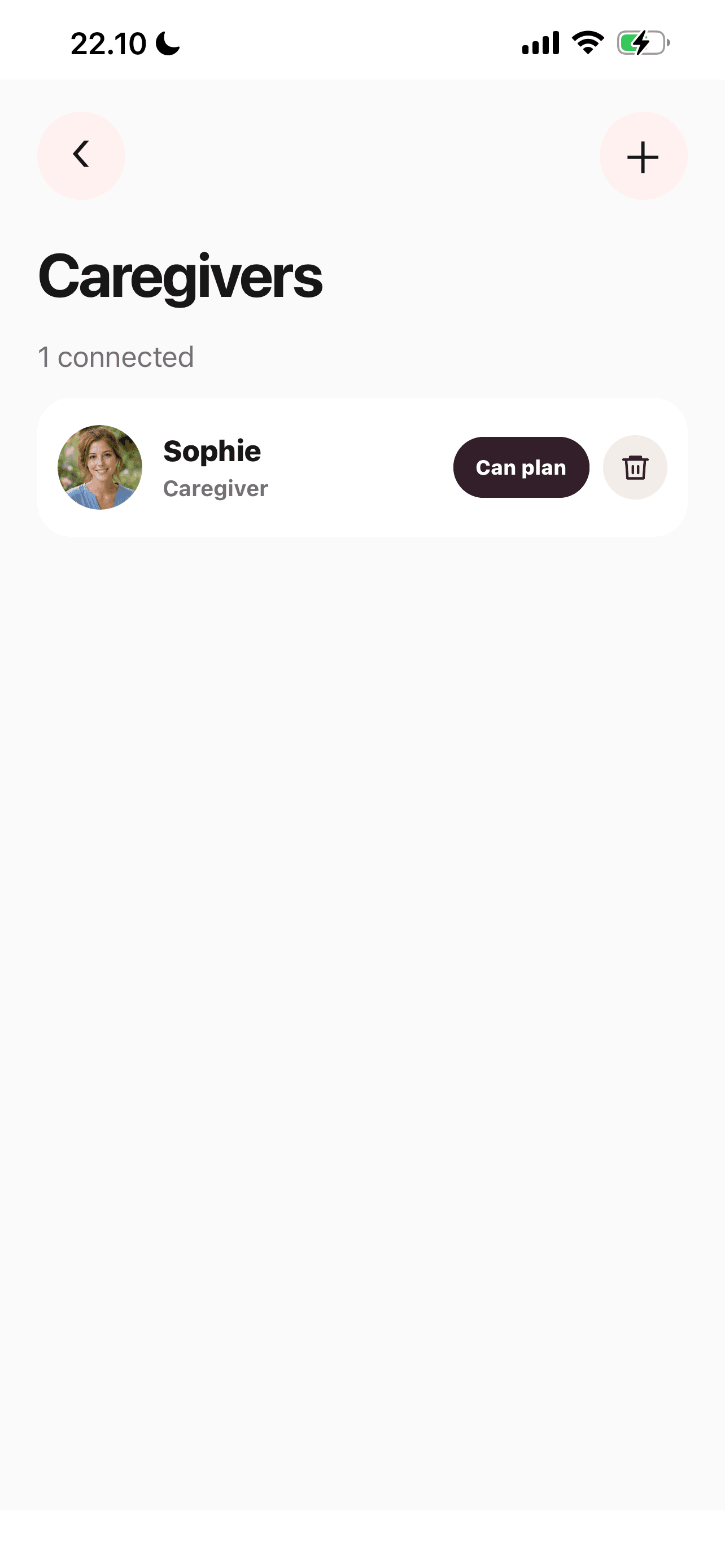
Find connected caregivers in family settings and review who can help manage the plan.
See more in the Elly app →Start a partner or caregiver invitation from family setup or settings.
Send the generated invitation to the intended person. They can enter the code or scan the invitation in Elly.
Check the relevant child access and agree how you will use plans, records and messages together.
An everyday example
The family invites the nanny with access to the relevant child. The adults agree who maintains the plan and how daily updates will be recorded before relying on the shared workspace.
Your care team questions
Yes. Elly has an invitation flow for entering a code or scanning an invitation QR code. The Have an invite? link below explains how to continue.
Yes. The caregiver invitation supports all-child or selected-child access.
No. Generate and manage family invitations inside Elly. The website can help an invited person open the app, but it cannot grant access to a family.
Elly manages partners or guardians separately from caregivers. Choose the role that matches the relationship, and review the child access and planning permissions for a caregiver.
Open Settings to find Family, Children, Partners and Caregivers. These sections keep household setup together with account and preference settings.
No. Planning permission is managed separately. Review the caregiver’s access with the family before relying on them to create or change shared arrangements.
Have an invite? Open your family invitation in Elly →
Your next day, together
Bring your family’s plans, care records and conversations into Elly.