A clear care window
Set the start and end of a shift and connect the children who need care. Keep the care arrangement visible alongside the day’s events.
 elly
ellyCaregiver schedules · Elly for iPhone
A care shift answers a different question from an outing: who is responsible, and when? Put that care window into Elly with the caregiver and children involved.
Download for iPhoneSome shared features and insights require Elly Plus. See current plan details in the app.
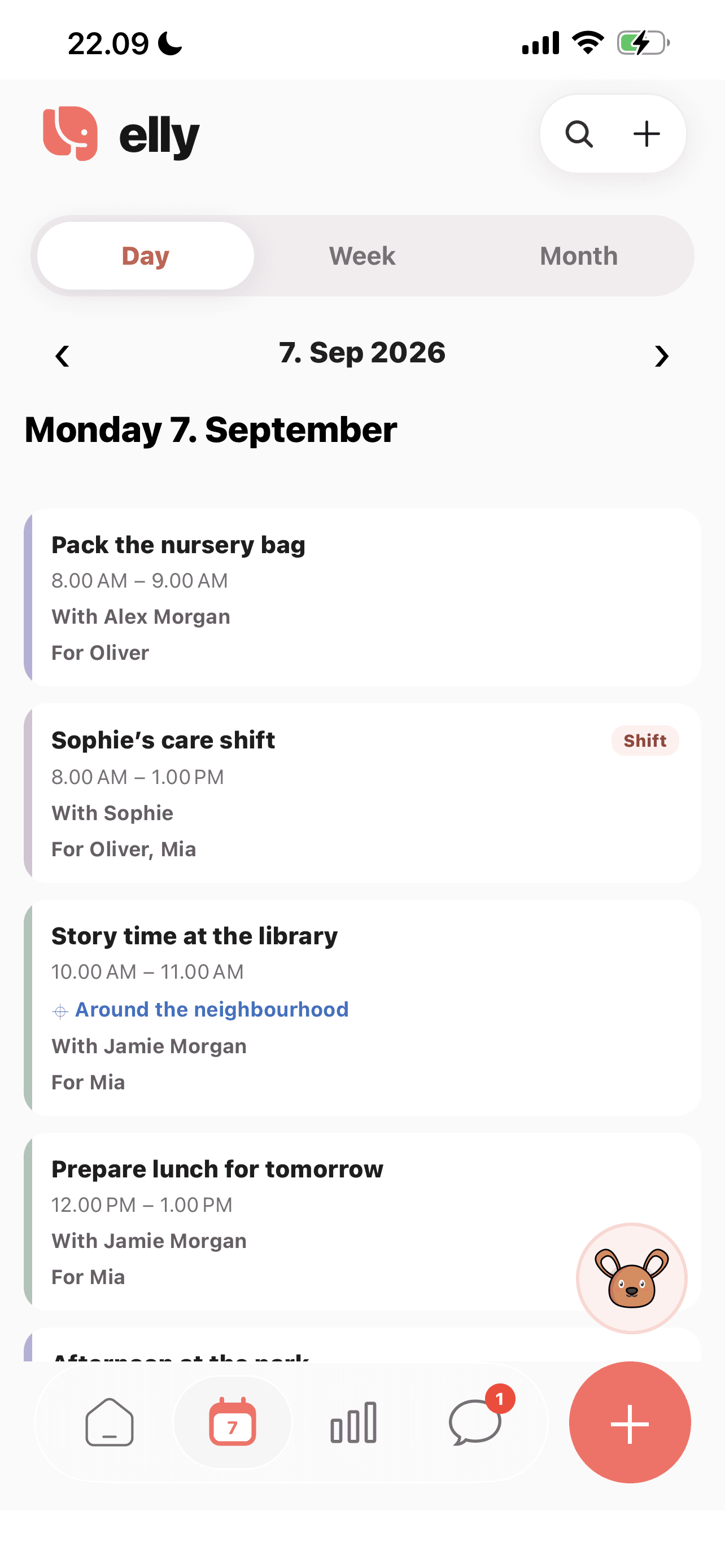
Set the start and end of a shift and connect the children who need care. Keep the care arrangement visible alongside the day’s events.
Shift assignments require a response. Check whether the arrangement is pending, accepted or declined before treating it as agreed coverage.
An appointment or outing can remain a separate event. The shift records the care window; the event carries its own place, time and activity details.
A closer look
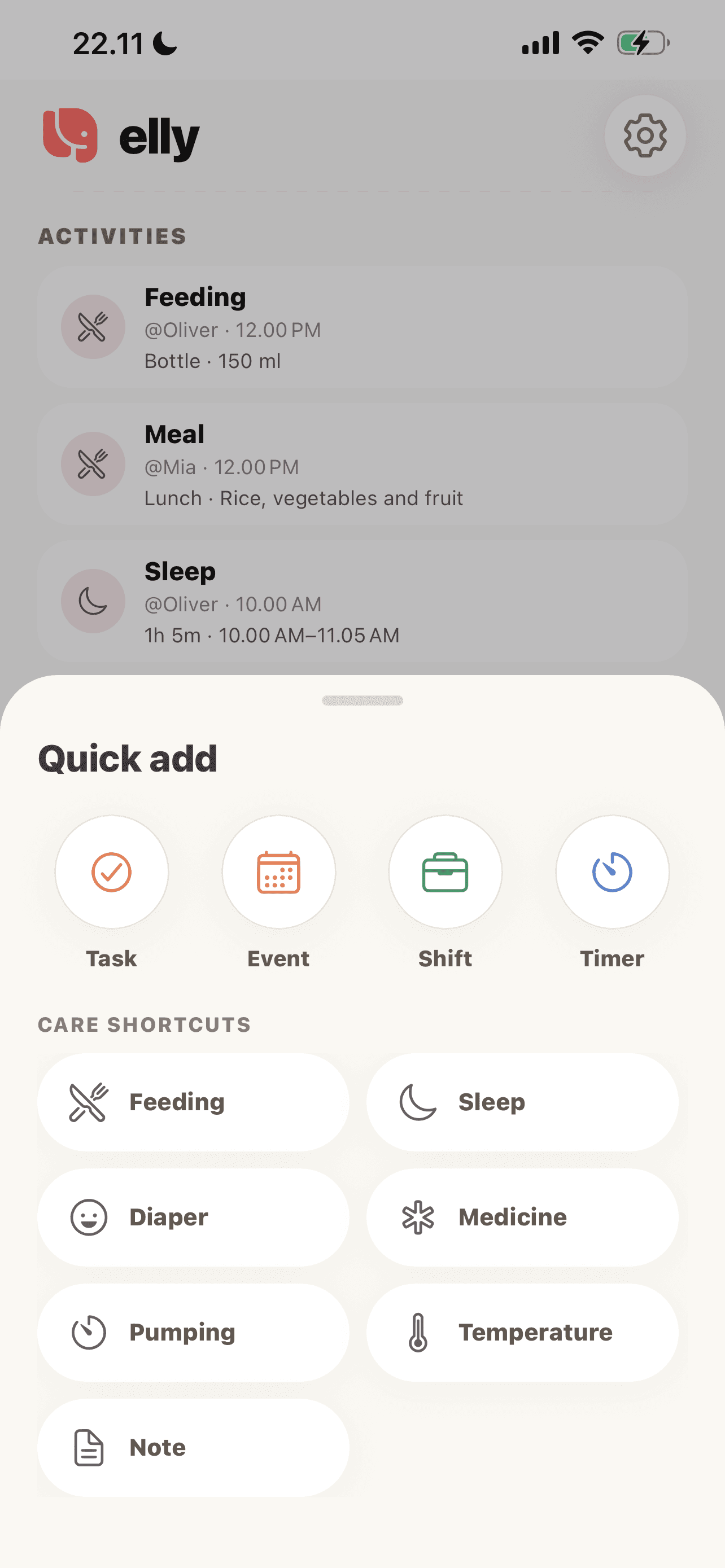
Choose Shift when you need to arrange who is providing care. Use Event for the outing itself.
See more in the Elly app →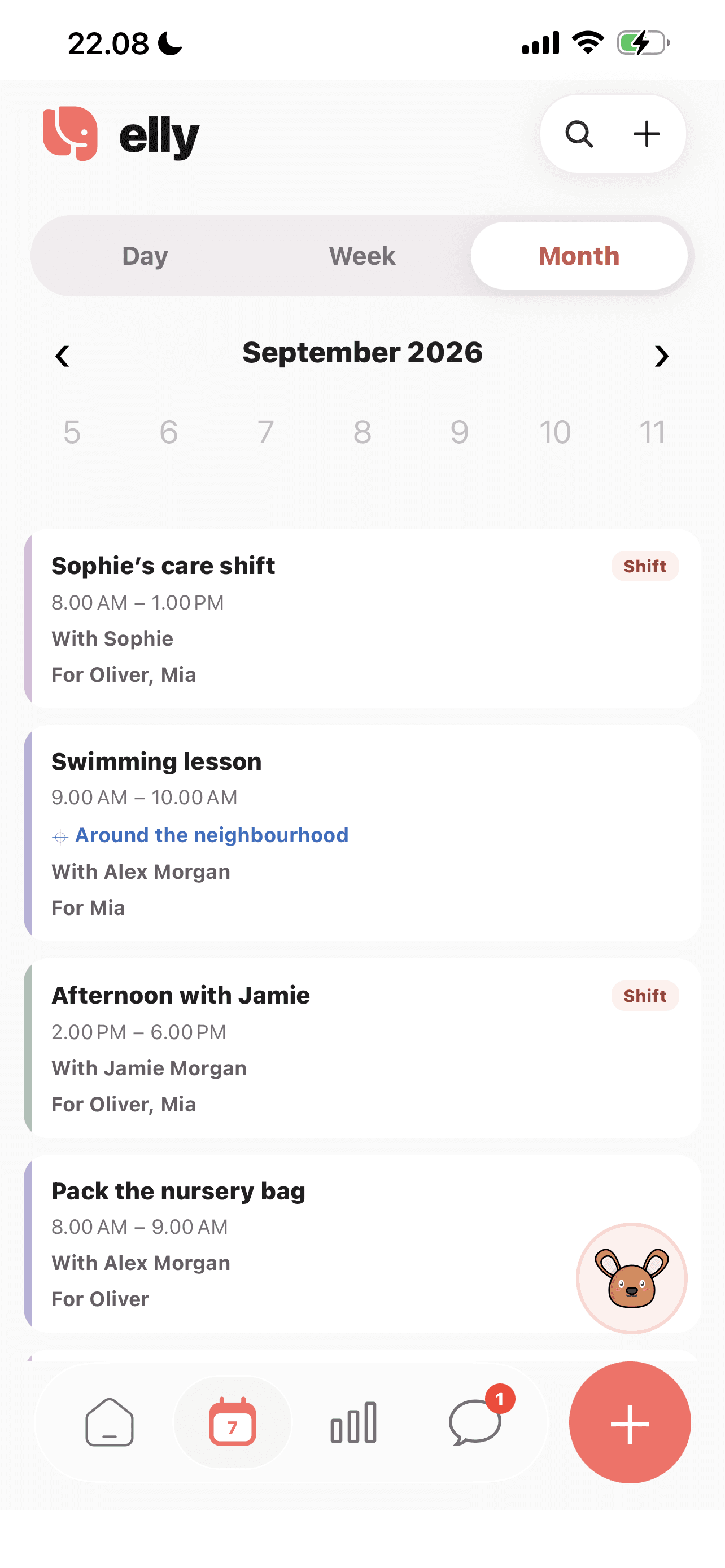
Switch calendar views to find upcoming arrangements and review which adults and children are involved.
See more in the Elly app →Open the plus menu and choose Shift rather than Event or Task.
Add the care window, relevant children and caregiver. Check the timing against the family’s other plans.
Review the assignment status and resolve a declined or pending arrangement with the caregiver.
An everyday example
Sophie’s shift covers Oliver and Mia from morning until lunch. A library outing appears as an event within that window. The family can see both the care arrangement and the activity without treating them as interchangeable.
Caregiver schedules questions
A shift describes a care window with an assigned caregiver and a required response. An event describes an activity, such as a lesson or appointment.
No. Review the caregiver’s response and discuss any uncertainty directly. A pending assignment should not be read as accepted coverage.
Yes. Calendar arrangements can be connected to the relevant children. The example shows one caregiver shift for two children.
Yes. The printable caregiver weekly planner below helps you agree care windows before entering shifts in Elly. Keep the app updated if the arrangement changes.
Caregiver shifts and shared assignments are subject to Elly Plus access. Review the current subscription details in the app.
This feature is for planning care. A scheduled shift is not proof of hours worked, and this page does not describe payroll, tax calculations or payroll exports.
Your next day, together
Bring your family’s plans, care records and conversations into Elly.